Education
A Guide To Mobile App Test Automation


Your users do not sit at desks. They are on trains, in queues, in meetings, half-distracted and entirely impatient. A mobile app that crashes, lags, or behaves differently across devices does not get a second chance, as 88% of users will abandon an app after just two instances of poor performance or bugs. In a market projected to reach USD 378 billion by 2026, with over 7.5 billion mobile users worldwide, the cost of shipping a bad experience has never been higher.
Mobile app test automation is the answer. Not just as a cost reduction play, but as the only realistic way to maintain quality across the device fragmentation, OS version diversity, and release velocity that modern mobile development demands. This guide covers everything you need to know, from the right tools and framework choices to the strategies that separate mobile automation programmes that scale from those that stall.
The mobile application testing services market is projected to grow from USD 7.70 billion in 2025 to USD 19.84 billion by 2031 at a 17.09% CAGR. Automated testing already captured 46.05% of the market share in 2025, and that share is accelerating as enterprises embed continuous quality checks into DevOps pipelines.
The numbers make the case without ambiguity. The global app test automation market is growing at 20.7% CAGR, moving from USD 37.66 billion in 2025 to USD 45.45 billion in 2026. Teams that do not automate mobile testing face a simple problem: there is too much to test, across too many device configurations, at too high a release frequency for manual testing to cope.
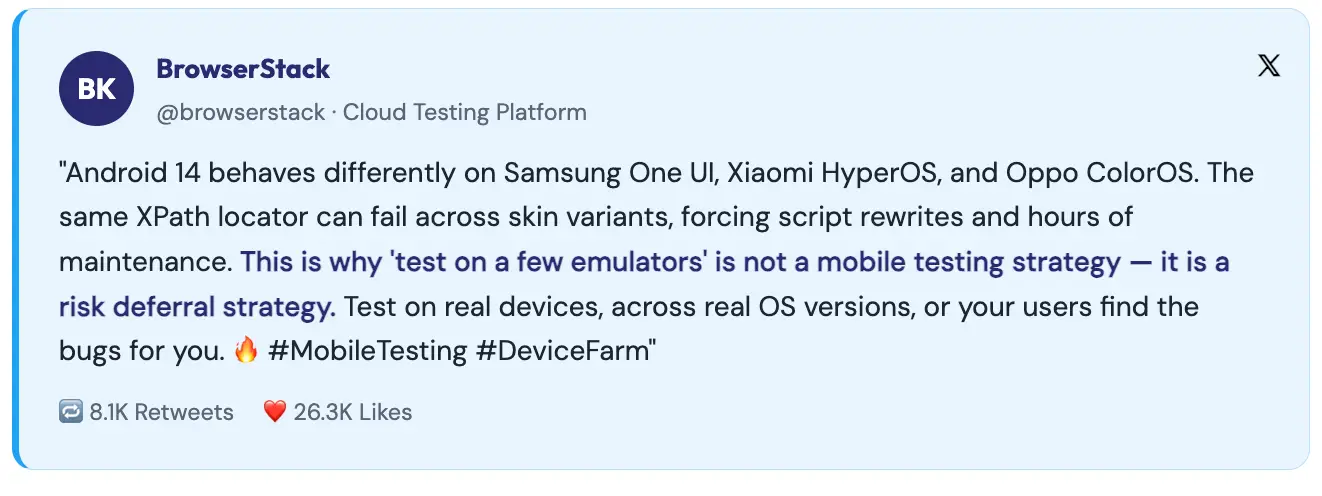
Consider what a complete manual mobile regression suite requires: testing across multiple iOS versions, multiple Android versions, across manufacturer UI skins (Samsung One UI, Xiaomi HyperOS, Oppo ColorOS, each behaves differently), across screen sizes, across network conditions, across permission states, across device orientations. For a mature mobile app, that matrix is thousands of combinations. No manual testing team can realistically execute that on every release cycle.
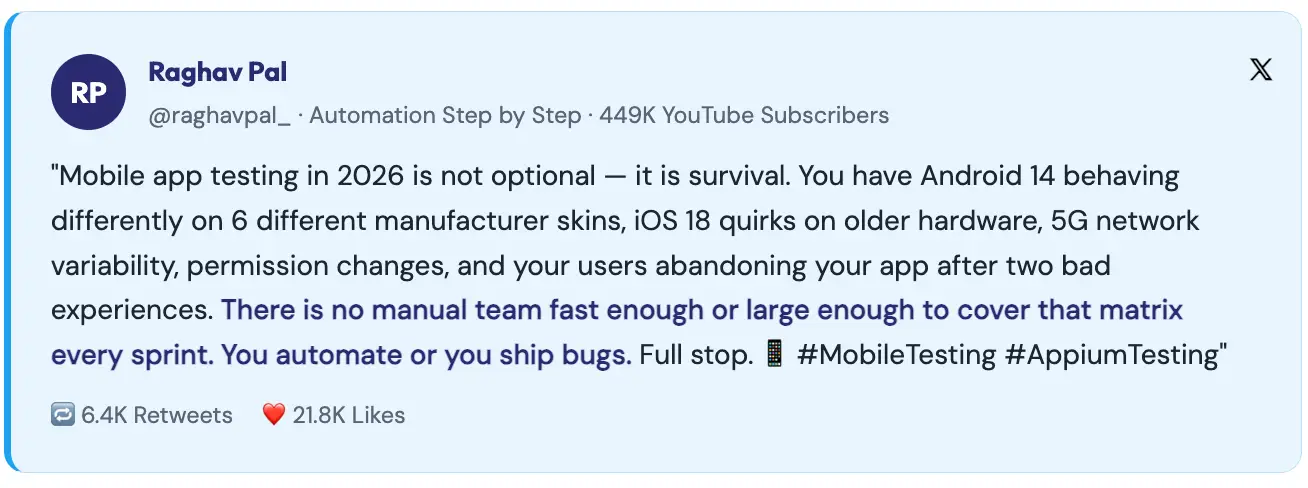
Beyond scale, mobile automation enables three things that manual testing structurally cannot: continuous validation on every commit, parallel execution across device matrices simultaneously, and reproducible results that are not subject to tester fatigue or variation. Each of these translates directly into faster releases and fewer production defects.
Mobile automation is harder than web automation. Anyone who tells you otherwise has not built a production mobile test framework. The challenges are specific, significant, and need to be understood before you select tools or design a framework.
Android runs on thousands of device models from hundreds of manufacturers, each with its own UI skin, hardware capabilities, and OS customisation. A locator that works on a stock Android device may fail on Samsung’s One UI. An animation timing that passes on a high-end phone may cause flakiness on a mid-range device. Enterprises often allocate 40% of their automation budgets to handling Android fragmentation alone.
Unlike web browsers, where you can force an update, mobile OS version distribution is long-tailed. Significant percentages of your user base will be on Android versions two or three generations old. Your automation strategy must cover the versions your users actually run, not just the latest releases.
Mobile apps request permissions such as location, camera, notifications, and contacts that trigger OS-level dialogs your automation framework must handle. These dialogs behave differently across OS versions and manufacturers, and failing to handle them gracefully is one of the most common sources of mobile test flakiness.
Mobile UIs are built around gestures like swipe, pinch, long press, scroll, and drag. Automating these precisely across different screen sizes and device capabilities requires careful implementation. The W3C Actions API in Appium 2.0 significantly improved gesture support, but it remains more complex than web element interaction.
The mobile automation tool ecosystem is rich, with options ranging from open-source cross-platform frameworks to AI-native codeless platforms. Choosing the right tool depends on your app type, team skills, platform coverage needs, and maintenance appetite.
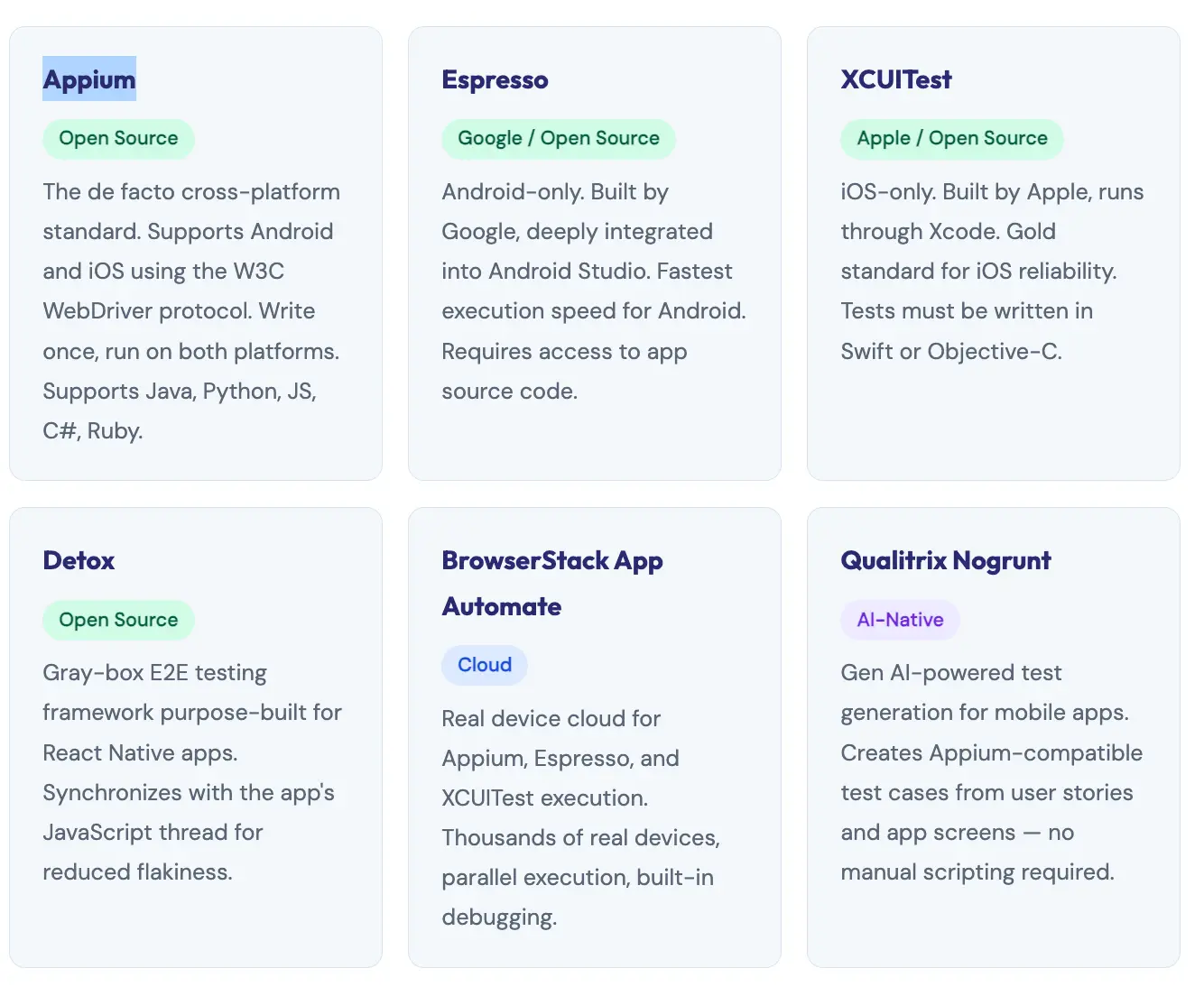
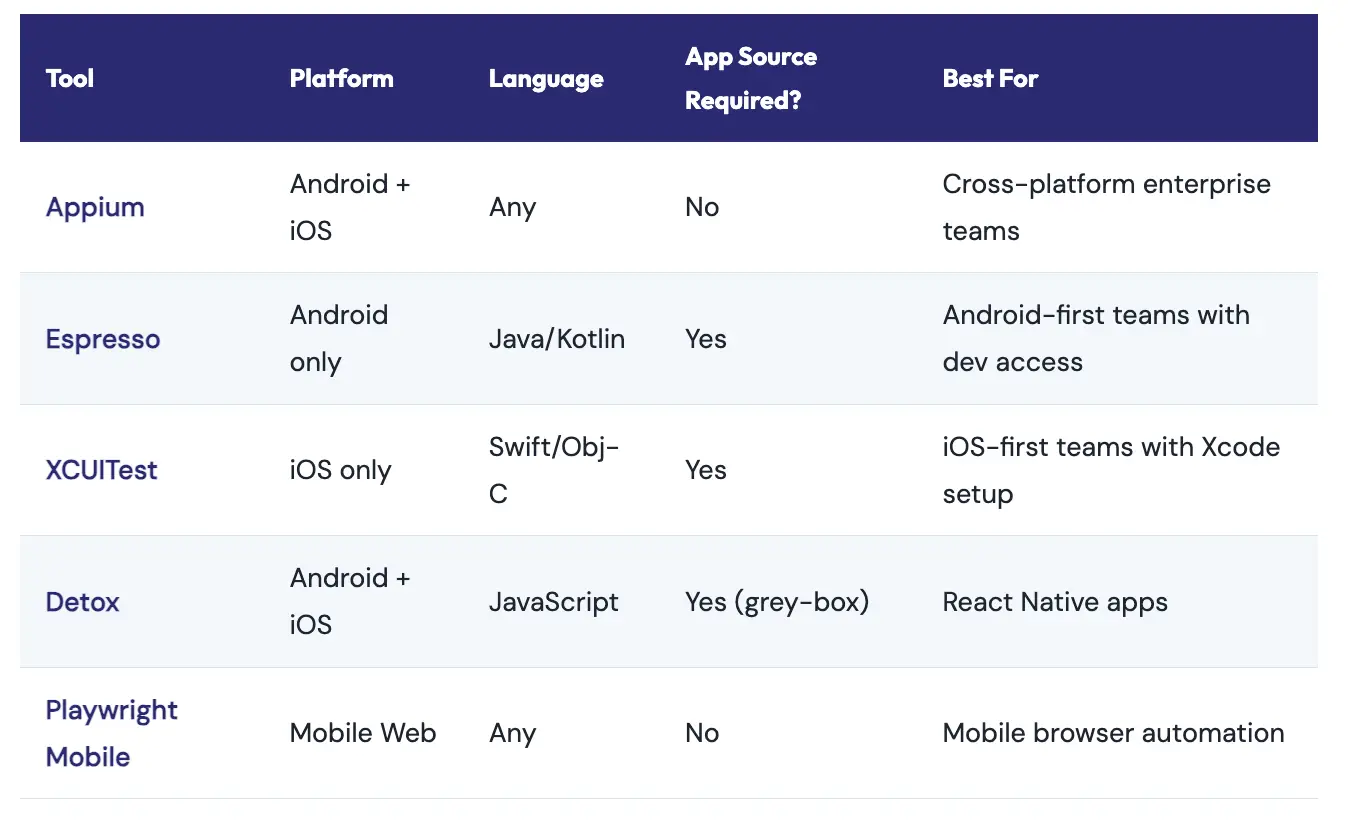
For the majority of enterprise mobile testing programmes, particularly those covering both Android and iOS, with multi-language engineering teams, Appium is the right choice. It is the most widely adopted mobile automation framework in the world, and for good reason.
Appium implements a client-server architecture. The Appium server, built on Node.js, accepts commands from your test scripts via a REST API and converts them into native automation actions using each platform’s own testing frameworks, UIAutomator2 for Android and XCUITest for iOS. This means your tests exercise the actual platform automation layers, not a simulation.
The critical advantage: Appium does not require you to modify or recompile your app. You test the binary that ships to users, in the state it ships in. This eliminates an entire category of test validity questions.
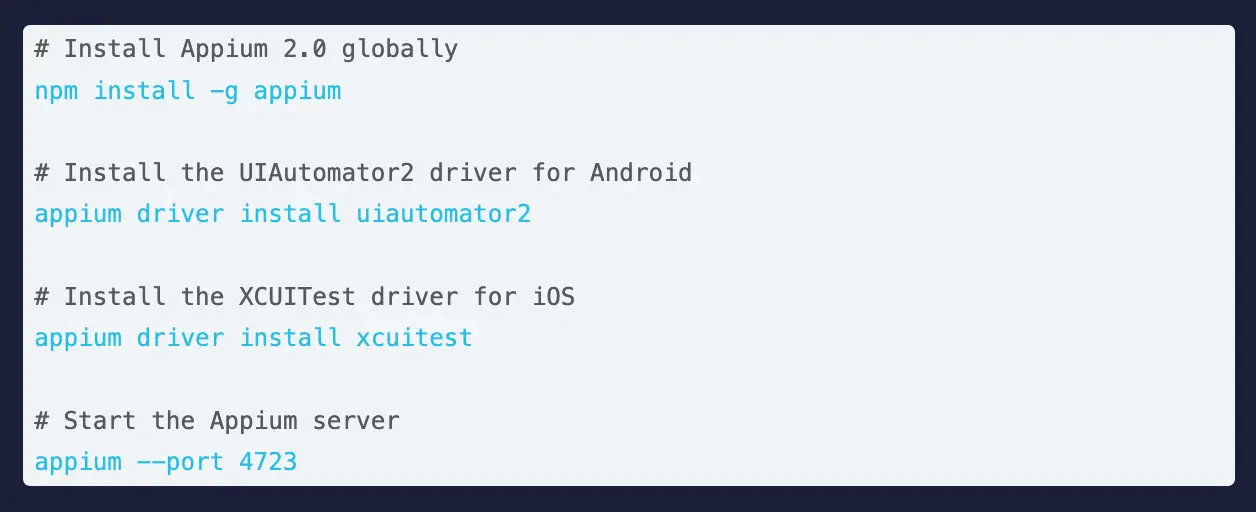
Appium 2.0 was a significant architectural overhaul. The key changes relevant to practitioners: drivers are now decoupled from the core installation (installed separately via Appium driver install), the W3C Actions API replaces the deprecated TouchAction API for gesture automation, and a plugin architecture allows extending Appium’s functionality without forking the core.
Getting Appium 2.0 running requires installing the server, the appropriate driver for your target platform, and the client library for your language of choice. Here is the minimal setup for Android automation with Java.
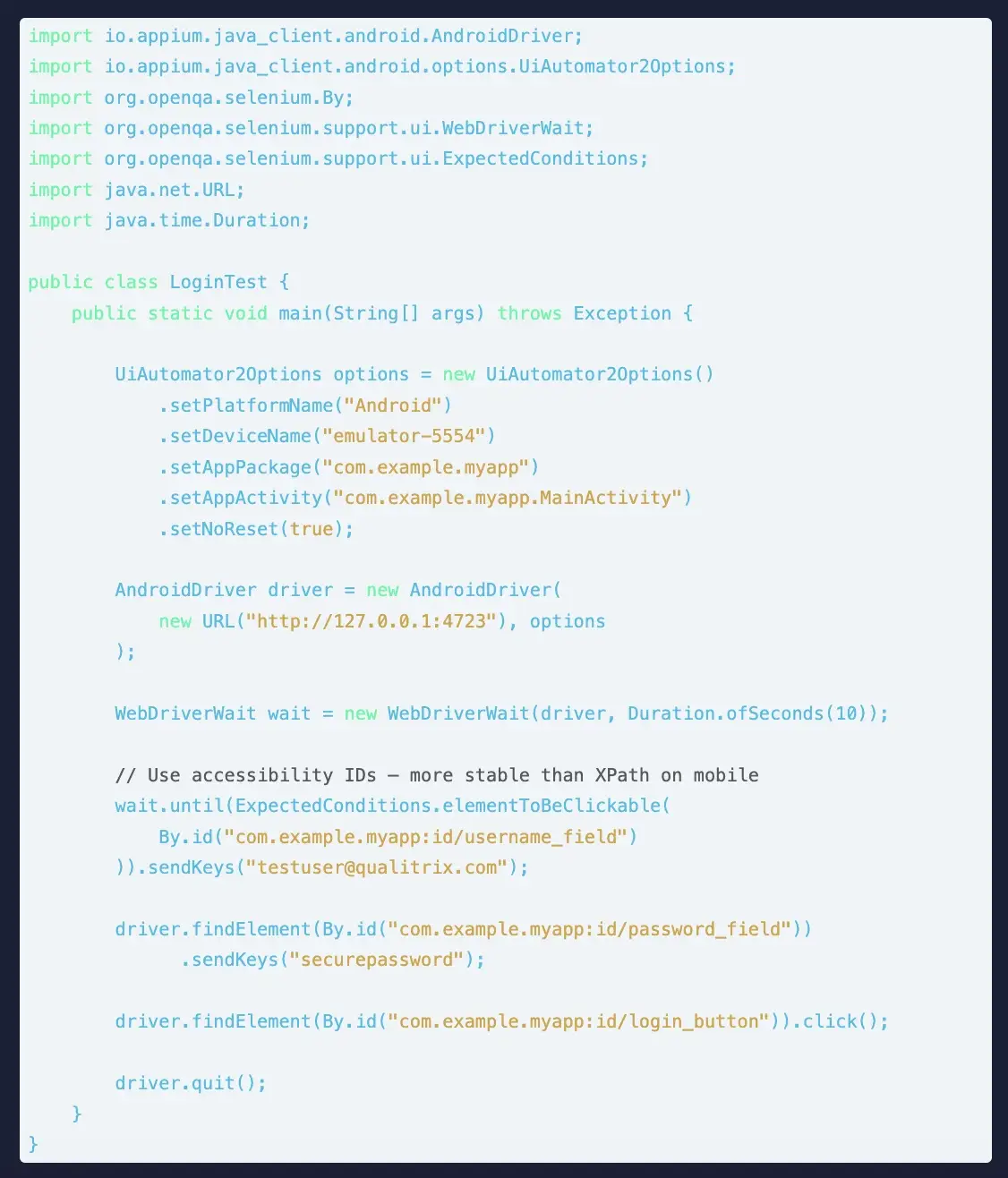
Pro tip: Prefer Accessibility IDs over XPath on mobile. Mobile UI trees are deep and complex. XPath expressions are slow to resolve and brittle across OS versions. Accessibility IDs (content-desc on Android, accessibilityIdentifier on iOS) are purpose-built, stable identifiers. Work with your development team to add them during build; it is a small effort that eliminates a massive maintenance burden in automation.
The gap between a working Appium script and a production-grade mobile test framework is significant, and bridging it is where most mobile automation programmes either succeed or stall. The principles are similar to web automation but adapted for mobile’s specific requirements.
POM on mobile works the same way as the web: each screen or significant component gets a class that encapsulates its locators and interactions. The difference is that mobile screens often have more complex gesture interactions, multiple states (loading, loaded, error, empty), and OS-level overlays (keyboards, permission dialogs, notifications) that need to be handled within or alongside your page objects.
A well-designed mobile framework uses a Driver Factory that reads the target platform from configuration and returns the appropriate driver, AndroidDriver or iOSDriver, without the test code needing to know which platform it is on. This is what enables truly cross-platform test reuse.
Build a utility class that handles OS-level dialogs such as permission requests, alerts, and system popups in a standardised way. These dialogs are guaranteed to appear during your test run and guaranteed to vary across OS versions. Centralising their handling prevents the same boilerplate appearing across dozens of test cases.
A mobile framework that runs tests sequentially on a single device is not ready for production. Design for parallelism from day one: device management through a thread-local driver pattern, test data that is isolated per thread, and reporting that aggregates results across parallel streams. Teams using parallel execution across device farms regularly reduce regression cycle times from hours to under 20 minutes.
One of the most consequential decisions in mobile automation strategy is where to execute tests on real devices, emulators, or a combination. There is no universally right answer, but there are clear guidelines based on what each environment is actually good at.
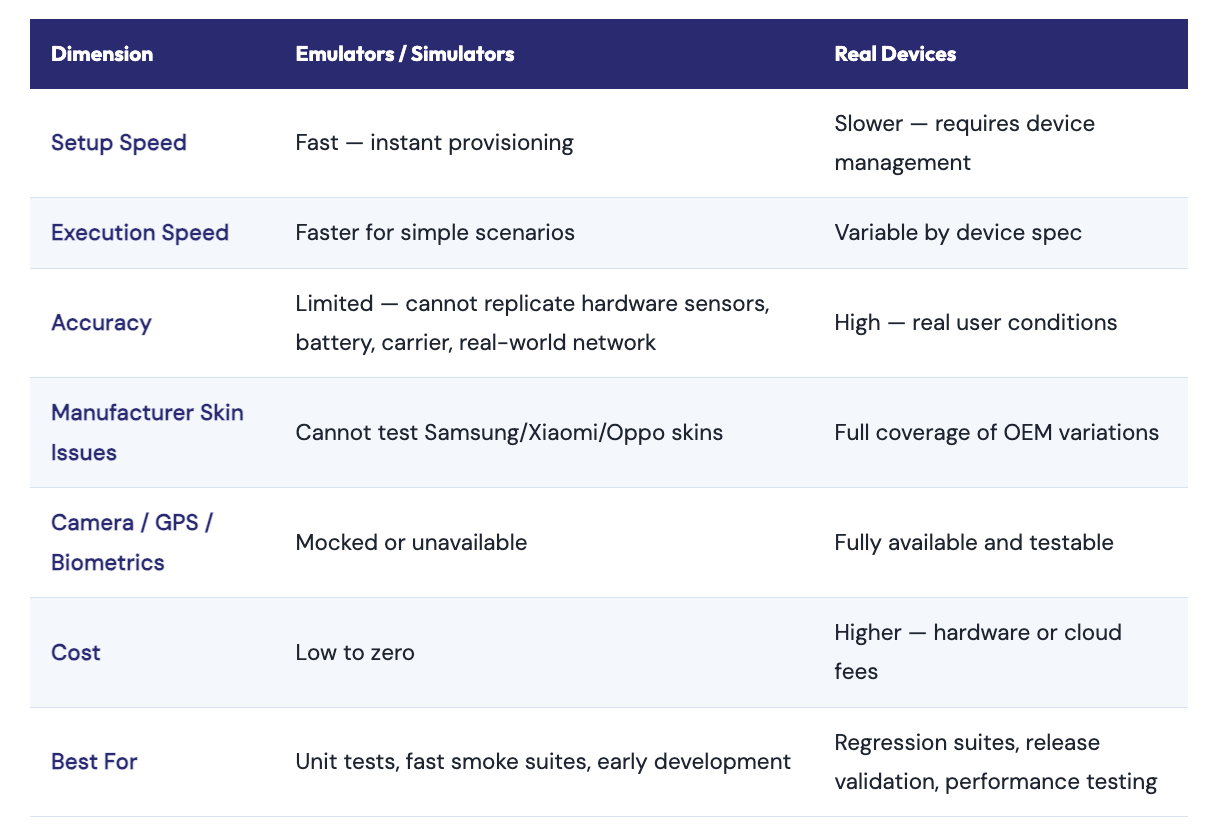
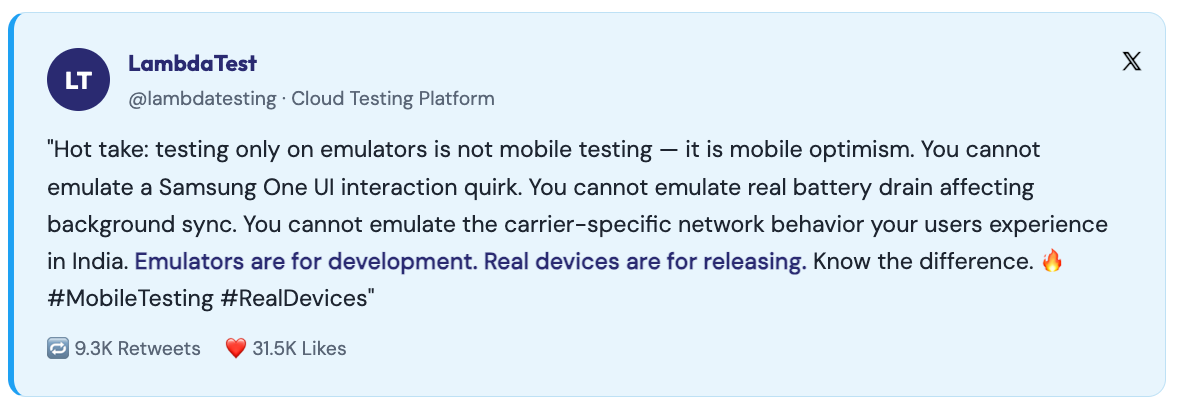
The practical recommendation for most teams: use emulators for fast feedback loops during development (smoke tests on every commit), and use real devices either your own device lab or a cloud device farm for regression suites and release validation. Never release without validating on real devices.
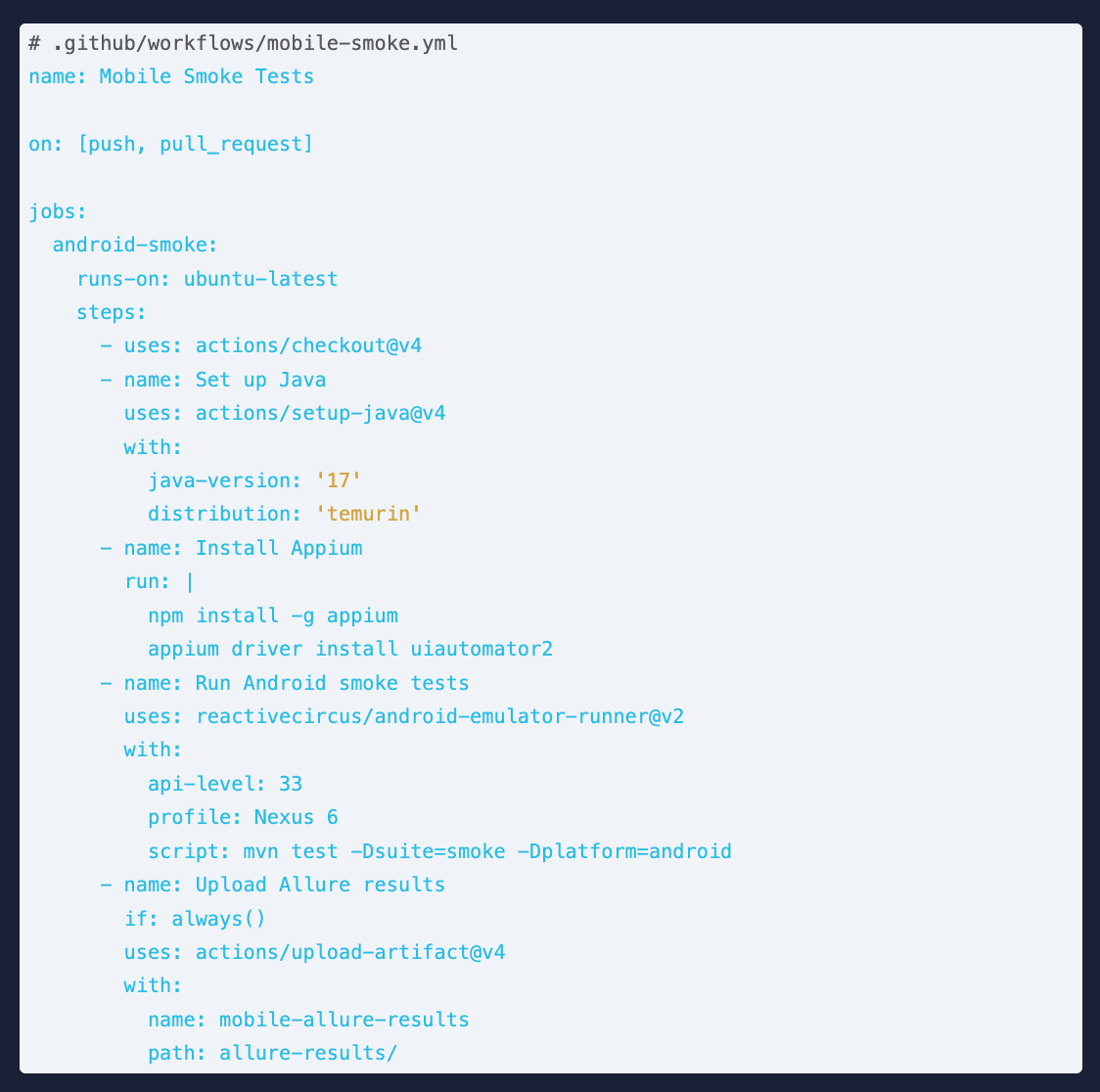
Mobile automation that only runs manually before release is missing most of its value. The highest-ROI configuration is continuous execution of smoke tests on every commit, full regression on merge to main, and extended device matrix tests nightly or pre-release.

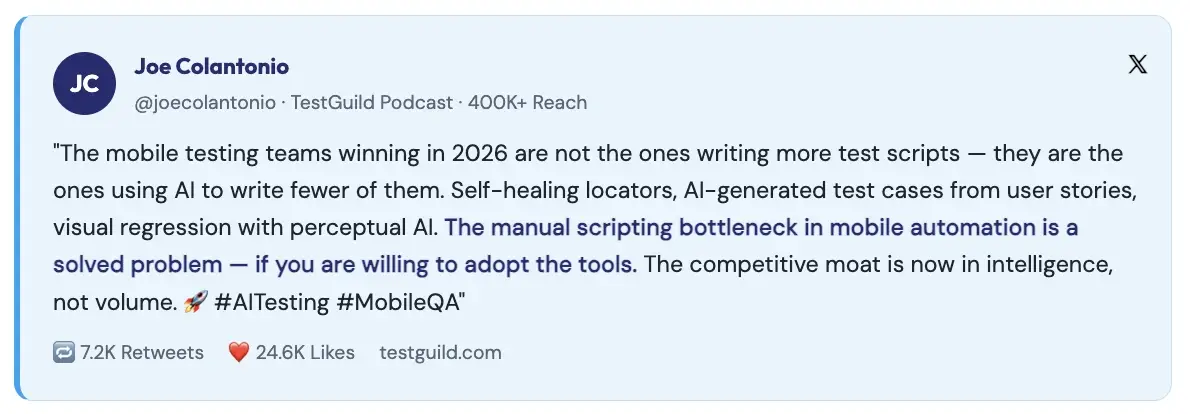
The convergence of AI and mobile testing is accelerating rapidly. AI testing adoption has grown from 7% in 2023 to 16% in 2025, with 72% of respondents in the 2025 State of Testing report actively using AI for test generation and script optimisation. For mobile testing specifically, AI is addressing the two biggest pain points: locator fragility and test creation speed.
Mobile UI elements change constantly, apps iterate fast, designers redesign flows, and OS updates shift element hierarchies. Traditional automation breaks whenever an element moves or is renamed. AI-powered self-healing tools detect when a locator fails, analyse the current UI state, and automatically identify the correct element using visual similarity, text content, and contextual proximity without manual intervention.
Rather than hand-writing every test case and script, AI-native platforms like Qualitrix’s Nogrunt can generate Appium-compatible test cases directly from user stories, acceptance criteria, and app screens. This reduces test creation time by 60–70%, compressing the time between feature development and test coverage.
AI-driven visual testing tools compare screenshots across device renders using perceptual image comparison rather than pixel-perfect matching. This catches layout regressions, overlapping elements, and rendering differences across screen sizes that functional tests simply cannot see, including the subtle differences between manufacturer UI skins.
Mobile UI trees are deeply nested and change frequently. XPath expressions that traverse the entire tree are slow, brittle, and break with almost any UI update. Use accessibilityId (iOS) and resource-id / content-desc (Android) as your primary locator strategies. Work with developers to ensure meaningful accessibility attributes are added during build. This is a testing investment that pays back in every sprint.
Emulators cannot replicate battery behaviour, carrier-specific network conditions, OEM UI skin quirks, real hardware sensor responses, or the performance profile of a mid-range device under real-world memory pressure. Release validation without real device testing is release validation without the most important test environment: the one your users actually have.
Mobile apps have variable load times affected by network conditions, device memory state, and background processes. Thread.sleep(5000) passes on a fast device, fails on a slow one, and wastes time on both. Use Appium’s WebDriverWait with explicit conditions just as you would in web automation, or use FluentWait for elements with irregular appearance timing.
Functional correctness is necessary but not sufficient. A 2024 Statista survey found that 47% of users abandon an app that takes longer than 3 seconds to load. Performance testing and accessibility validation should be part of your automated suite, not afterthoughts before release. Both can be integrated into Appium-based frameworks using supporting libraries and device monitoring APIs.
Maintaining two separate test frameworks, one for Android, one for iOS, doubles the maintenance effort with every UI change and makes cross-platform coverage a staffing problem. A well-designed Appium framework with a Driver Factory, platform-specific locator files, and shared test logic can maintain a single codebase that runs on both platforms. The upfront design investment pays back every sprint.
Mobile app test automation is not a nice-to-have for teams shipping to 7.5 billion mobile users in a market growing at 17% annually. It is the foundation of any realistic quality engineering strategy for mobile. The question is not whether to automate; it is how to automate well.
The teams that build durable mobile automation programmes share a few traits: they invest in proper locator strategies from day one, they design cross-platform frameworks rather than platform-specific silos, they validate on real devices rather than relying on emulator-only coverage, and they integrate automation into CI/CD so testing is continuous, not periodic.
At Qualitrix, we have built and delivered mobile test automation frameworks for banking apps serving millions of users, healthcare applications requiring strict compliance, and consumer e-commerce apps that must perform flawlessly across hundreds of device configurations.
Let’s build a future of flawless digital experiences together. Get in touch with our experts.

Future Begins With Trust
A 30-minute conversation with an engineer who has done this before — not a sales call. We will tell you what we would do differently, whether or not you work with us.